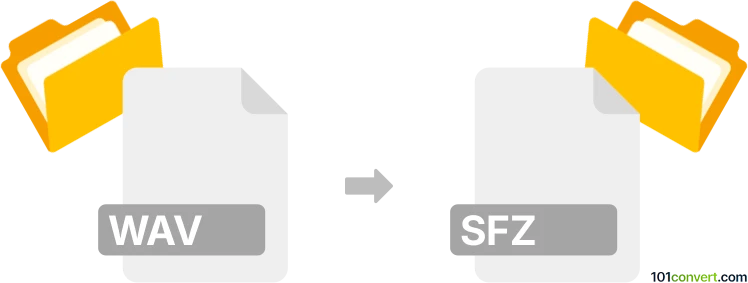
Convert WAV to SFZ
How to convert WAV files to SFZ format using tools like Polyphone and manual methods for creating virtual instruments.
Convert WAV files online
We don’t have a dedicated online converter for WAV to SFZ yet, but you can convert WAV files online to these and more formats:
How to convert wav to sfz file
- Audio
- No ratings yet.
WAV and SFZ file formats
The WAV format, or Waveform Audio File Format, is a standard for storing audio bitstreams on PCs. It is widely used for its high-quality and lossless audio data and is commonly used in professional audio recording and editing.
On the other hand, the SFZ file format defines how a collection of audio samples are mapped to a musical instrument. The text-based format allows users to create virtual instruments by specifying how samples should be played back.
How to convert WAV to SFZ
Converting WAV files to SFZ format involves mapping the WAV samples to an instrument definition in SFZ. This process is not a direct file conversion but rather the creation of a new file that references the WAV files.
Best software for WAV to SFZ conversion
Polyphone is one of the best tools for creating SFZ files from WAV samples. It is free and open-source software that allows users to create and edit sound fonts, including SFZ files.
To convert WAV to SFZ using Polyphone, follow these steps:
- Open Polyphone and create a new project.
- Import your WAV files into the project.
- Map the WAV files to the desired notes and velocities.
- Use the File → Export → SFZ option to save your project as an SFZ file.
Alternative methods
Another method of creating SFZ files is manually writing them using a text editor. This requires knowledge of the SFZ format and syntax. You can define the sample paths, key ranges, and other parameters directly in the SFZ file.
sample=path/to/sample.wav
key=60
loop_mode=one_shot
Converting WAV to SFZ involves creating a new instrument definition that uses WAV samples. Tools like Polyphone simplify this process by providing a graphical interface for mapping samples. Alternatively, you can manually write SFZ files if you know the format.
WAV vs SFZ: format comparison
How the WAV and SFZ formats compare on the properties that matter most for this conversion.
| Property | .WAV Waveform Audio File Format | .SFZ SFZ |
|---|---|---|
| Compression | Both | — |
| Audio quality | Lossless | — |
| Audio channels | Multichannel | — |
| Metadata support | Basic | Basic |
| Streaming | Partial | No |
| DRM protection | — | No DRM |
| Opens in a web browser | Yes, natively | No |
| Typical file size | Large | Very small |
| Open standard | Partly open | Yes |
| Best used for | Music | Professional production |
| Introduced | 1991 | — |
| Developer | Microsoft and IBM | — |
| MIME type | audio/wav | — |
Suggested software and links: wav to sfz converters
Additional formats for
wav file conversion
- wav to dwp
- wav to sf2
- wav to wem
- wav to m3u
- wav to kmp
- wav to fxp
- wav to midi
- wav to cda
- wav to mid
- wav to gsm
- wav to 3ga
- wav to aac
- wav to aax
- wav to ac3
- wav to adg
- wav to afc
- wav to aif
- wav to aiff
- wav to alac
- wav to als
- wav to amr
- wav to ape
- wav to asnd
- wav to au
- wav to bwf
- wav to caf
- wav to caff
- wav to cdda
- wav to dls
- wav to dsf
- wav to dvf
- wav to efa
- wav to exs
- wav to fla
- wav to flac
- wav to fsb
- wav to ksf
- wav to logic
- wav to m4a
- wav to m4b
- wav to m4p
- wav to m4r
- wav to mgu
- wav to mka
- wav to mmf
- wav to mp2
- wav to mp3
- wav to mpc
- wav to nbs
- wav to oga
- wav to ogg
- wav to opus
- wav to pls
- wav to rex
- wav to rx2
- wav to snd
- wav to sng
- wav to spx
- wav to svd
- wav to sxt
- wav to tak
- wav to tta
- wav to vdjsample
- wav to vox
- wav to w2v
- wav to w64
- wav to wave
- wav to wma
- wav to wv