Free online XMIND to EMMX converter
What is the best conversion method used to transform XMind mind-map files to EdrawMind emmx file format?
Convert XMIND to EMMX online - free
Your file is processed automatically and deleted right after you download the result, or after 3 hours at the latest.
Import a file from a URL
Paste a direct link to the file. We download it to our server and it is converted exactly like an upload.
How it works
-
1/3
Upload your .xmind file
Click to browse to select your file you want to convert or simply drag & drop your file into selected area.
-
2/3
Perform .xmind to .emmx conversion
After successful file upload, click to convert when you are ready.
-
3/3
Download converted .emmx file
Conversion result is ready to download.
Conversion statistics: XMIND to EMMX
Updated November 25, 2026, from conversions on 101convert.com
How to convert xmind to emmx file
- Mind maps and flowcharts
- Rating: 4.0/5
XMind and EdrawMind are powerful mind-mapping tools that help professionals and students organize ideas and manage projects. XMind uses the .xmind format as its native file extension, while EdrawMind utilizes .emmx for its mind maps. Converting XMind files to the EMMX format is sometimes necessary for those who want to switch platforms or use EdrawMind's unique features.
Understanding XMind and EMMX formats
The .xmind format is XMind's native file extension, encapsulating all data related to a mind map, including its structure, content, and styles. On the other hand, EdrawMind uses the .emmx file format, which is designed to store mind maps in a format compatible with its platform. Converting between these formats enables users to seamlessly transition from XMind to EdrawMind while retaining their data and design integrity.
Methods for converting XMind files to EMMX files
1. Using standard export and import features
One of the simplest ways to convert an XMind file to an EMMX file is to utilize the respective applications' standard export and import options.
-
Export from XMind:
- Open your mind map in XMind.
- Go to File ► Export.
- Select a format compatible with EdrawMind, such as .mm (Freemind) or .opml.
- Save the file to your desired location.
-
Import into EdrawMind:
- Launch EdrawMind and open a new or existing project.
- Navigate to File ► Import.
- Upload the file you exported from XMind.
- The imported file will be converted to the .emmx format.
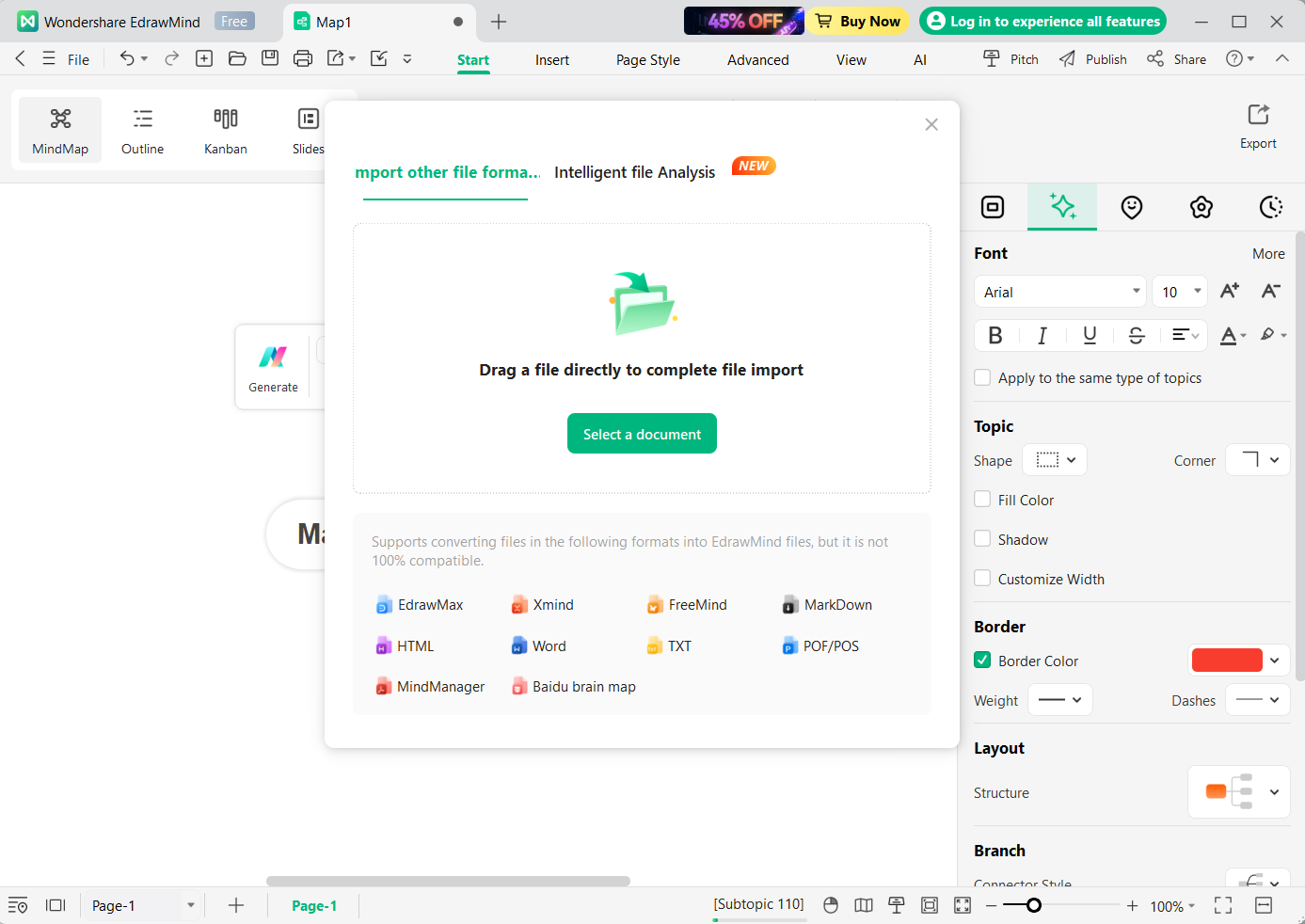
2. Direct conversion using EdrawMind
EdrawMind supports opening certain XMind files directly. In this case:
- Open EdrawMind and select Open File.
- Locate the .xmind file and load it.
- Save the file as .emmx after making any necessary adjustments.
3. Third-party conversion tools
Several third-party converters and online tools can transform .xmind files into .emmx. While convenient, these tools may not preserve all formatting or advanced features perfectly. Use trusted platforms to protect your data.
XMIND vs EMMX: format comparison
How the XMIND and EMMX formats compare on the properties that matter most for this conversion.
| Property | .XMIND XMind Workbook | .EMMX EdrawMind XML document |
|---|---|---|
| Further editing | Easy | Easy |
| Images | Yes | Yes |
| Text styling | Extensive | Extensive |
| Plain-text readable | No | No |
| Operating system support | Wide | Wide |
| Typical file size | Medium | Small |
| Open standard | No | No |
| Introduced | 2007 | — |
| Developer | XMind Ltd. | EdrawSoft |
| MIME type | application/vnd.xmind.workbook | — |
Information about file extensions and file types is provided by File-Extensions.org
Suggested software and links: xmind to emmx converters


Frequently asked questions
Is the XMIND to EMMX converter free?
Yes, converting XMIND to EMMX on 101convert.com is completely free. No registration, email address or installation is required. If you need a higher file size limit or want to convert more files at once, see our plans.
How large can my XMIND file be?
You can upload XMIND files up to 3 MB and convert up to 3 files at once in a single batch. With a paid plan the limit is up to 50 MB per file and 20 files at once, see our plans.
What happens to my uploaded files?
Files are processed automatically. Your upload is deleted from our servers right after you download the result, or after 3 hours at the latest. We never view or share your files.
Do I need to install any software to convert XMIND to EMMX?
No. The XMIND to EMMX conversion runs entirely online in your browser and works on Windows, Mac, Linux, Android and iPhone.
Did the conversion fail?
In most cases, the cause is an incorrect file format. Please upload a valid XMIND file for this XMIND to EMMX conversion. Occasionally, the issue may be on our side. We analyze recurring conversion failures and disable or fix the converter if we detect a defect.