
Convert DXF to DTD
Converting DXF exchange drawings files to DTD file format.
Convert DXF files online
We don’t have a dedicated online converter for DXF to DTD yet, but you can convert DXF files online to these and more formats:
Want to convert DXF to DTD?
Let us know. We pick the conversions to add next by how many people ask for them.
How to convert dxf to dtd file
- CAD formats
- No ratings yet.
Converting a DXF file to the DTD format, which is usually used in Techsoft 2D Design V2, involves importing the DXF file directly into Techsoft’s 2D Design software and then saving it in the native DTD format.
First, open Techsoft 2D Design and select File → Import to locate and load your DXF file. Depending on the file’s complexity, some layer settings, line types, or scaling adjustments might be needed to ensure the design looks and functions correctly once imported.
After verifying that everything displays correctly, go to File → Save As and choose the DTD format from the list of file types. Provide a new file name if desired, and confirm the save. The resulting DTD file will retain the geometry and properties of your design as recognized by Techsoft 2D Design V2. Always double-check your new DTD file for accuracy since certain CAD elements or annotations may require minor cleanup or reformatting after conversion.
TechSoft 2D Design V2 used the DTD file format; TechSoft Design V3 has largely superseded that software. In Design V3, the native format is now 3VS, which differs from the older DTD format. Although Design V3 can still open and import older DTD files (as well as some DXF files), it will save new and edited files in the 3VS format by default.
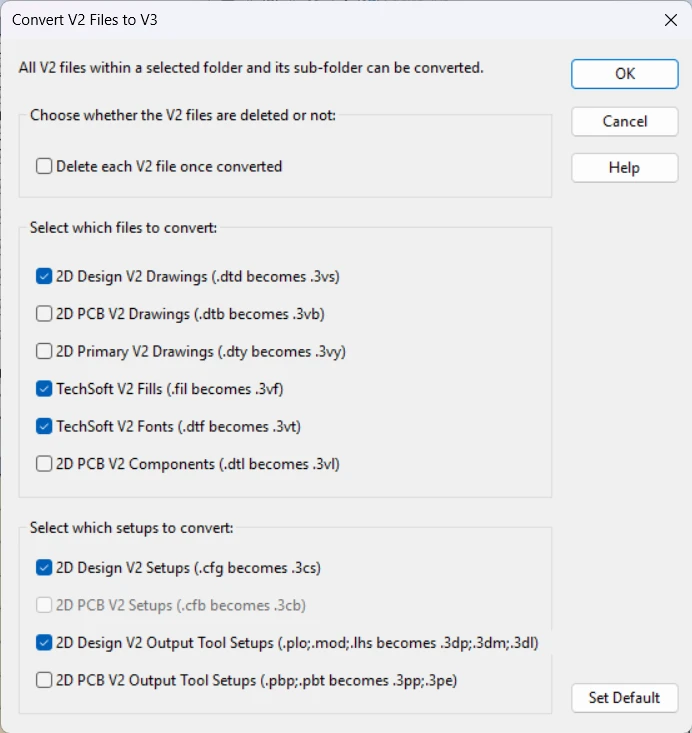
Because of this shift, converting DXF files directly to DTD has become somewhat obsolete. If you are still using TechSoft 2D Design V2, the previous approach - importing DXF and saving it as DTD - remains valid. However, most users have moved on to TechSoft Design V3, so the newer workflow typically involves importing DXF files and then saving in the 3VS format. This ensures compatibility with current software updates and support.
This file conversion has been marked as obsolete. No dedicated converter or free online tool is available, or one of the formats is very old and has been replaced by newer versions, making this type of conversion unnecessary in modern usage.
Suggested software and links: dxf to dtd converters


Additional formats for
dxf file conversion
- dxf to nc
- dxf to dwg
- dxf to sldprt
- dxf to gbr
- dxf to stp
- dxf to iges
- dxf to model
- dxf to step
- dxf to skp
- dxf to 3dxml
- dxf to asm
- dxf to bmp
- dxf to brep
- dxf to cad
- dxf to catdrawing
- dxf to catpart
- dxf to catproduct
- dxf to cgr
- dxf to dft
- dxf to dgn
- dxf to dwf
- dxf to dwfx
- dxf to dwt
- dxf to dxe
- dxf to edrw
- dxf to ems
- dxf to eprt
- dxf to fbx
- dxf to fcstd
- dxf to gerber
- dxf to gif
- dxf to hpg
- dxf to hpgl
- dxf to iam
- dxf to idw
- dxf to ifc
- dxf to igs
- dxf to ipn
- dxf to ipt
- dxf to jpeg
- dxf to jpg
- dxf to jt
- dxf to mi
- dxf to nc1
- dxf to obj
- dxf to par
- dxf to pcb
- dxf to png
- dxf to prt
- dxf to psm
- dxf to sat
- dxf to scad
- dxf to she
- dxf to sldasm
- dxf to stl
- dxf to sxe
- dxf to tap
- dxf to tif
- dxf to tiff
- dxf to vda
- dxf to webp
- dxf to x_t