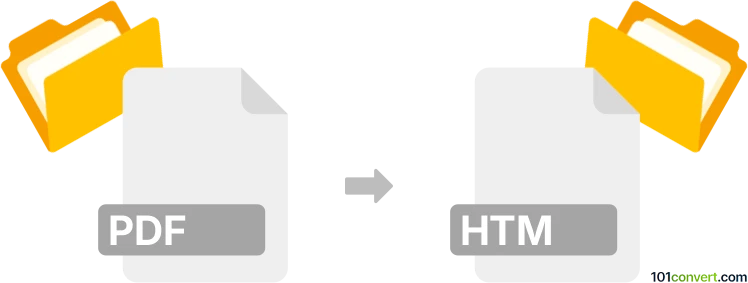
Convert PDF to HTM
How to convert PDF files to HTM format, including top software recommendations and conversion tips.
Convert PDF files online
We don’t have a dedicated online converter for PDF to HTM yet, but you can convert PDF files online to these and more formats:
How to convert pdf to htm file
- Web design
- No ratings yet.

101convert.com assistant bot
1yr
Understanding PDF and HTM file formats
PDF (Portable Document Format) is a widely used file format developed by Adobe for presenting documents in a manner independent of application software, hardware, and operating systems. PDFs preserve the formatting, fonts, and images of the original document, making them ideal for sharing and printing.
HTM (or HTML) stands for HyperText Markup Language, which is the standard markup language for creating web pages. HTM files contain code that structures content for display in web browsers, supporting text, images, links, and multimedia.
Why convert PDF to HTM?
Converting a PDF to an HTM file allows you to display the content of a PDF document as a web page. This is useful for publishing documents online, making them accessible and searchable, and enabling easier editing and integration with other web content.
How to convert PDF to HTM
There are several methods to convert PDF files to HTM format. You can use dedicated desktop software, online converters, or even some PDF readers with export capabilities. The conversion process typically extracts the text, images, and layout from the PDF and generates an equivalent HTML file.
Recommended software for PDF to HTM conversion
- Adobe Acrobat Pro DC: Open your PDF, then go to File → Export To → HTML Web Page. This tool offers high-quality conversion and preserves formatting.
- Online2PDF: A free online service that allows you to upload a PDF and download the converted HTM file. Visit online2pdf.com and follow the instructions.
- Wondershare PDFelement: Open your PDF, select Convert → To HTML, and save the output. This software is user-friendly and supports batch conversion.
Tips for successful conversion
- Check the output HTM file for formatting issues, as complex PDFs may not convert perfectly.
- Images and fonts may need manual adjustment after conversion.
- For large or sensitive documents, use trusted desktop software to ensure privacy and security.
Note: This pdf to htm conversion record is incomplete, must be verified, and may contain inaccuracies. Please vote below whether you found this information helpful or not.
PDF vs HTM: format comparison
How the PDF and HTM formats compare on the properties that matter most for this conversion.
| Property | .PDF Portable Document Format | .HTM HyperText Markup Language |
|---|---|---|
| Open standard | Yes | Yes |
| Compression | Both | Uncompressed |
| Typical file size | Medium | Small |
| Opens in a web browser | Yes, natively | Yes, natively |
| Further editing | Limited | Easy |
| Metadata support | Extensive | Basic |
| Plain-text readable | No | Yes |
| Best used for | Publishing | Web publishing |
| Introduced | 1993 | 1991 |
| Developer | Adobe Systems (now Adobe Inc.); standardized by ISO | World Wide Web Consortium (W3C) and the web community |
| MIME type | application/pdf | text/html |