
Convert WOTREPLAY to MKV
How to convert WOTREPLAY files to MKV using OBS Studio.
Make MKV files online
We can't read WOTREPLAY files yet, so this conversion isn't available. If you can export your work to one of these formats - or others - we'll turn it into MKV:
How to convert wotreplay to mkv file
- Computer games
- No ratings yet.
WOTREPLAY and MKV file formats
WOTREPLAY files are replay files created by World of Tanks (WoT), a popular online multiplayer game. These files contain recordings of gameplay, which can be replayed within the game. They are primarily used to review past games, share gameplay strategies, or analyze game sessions.
MKV (Matroska Video) files are a multimedia container format that supports a wide range of video, audio, and subtitle tracks in one file. MKV is popular due to its flexibility and support for high-quality video content.
How to convert WOTREPLAY to MKV video
Converting a WOTREPLAY file to an MKV format involves capturing or recording the gameplay as it is replayed in World of Tanks and then saving it in the MKV format. This process requires screen recording software capable of capturing high-quality video.
Recommended software: OBS Studio
OBS Studio is a free, multiplatform, open-source video recording and live-streaming software. It is highly recommended for its versatility and performance in recording high-quality videos.
Steps to convert WOTREPLAY to MKV using OBS Studio
- Install and open OBS Studio.
- To set up OBS Studio for recording, go to File → Settings → Output and choose MKV as the output format.
- Play the WOTREPLAY file in World of Tanks.
- Start recording in OBS Studio when the replay begins.
- Stop the recording once the replay finishes.
- The recorded video will be saved in MKV format.
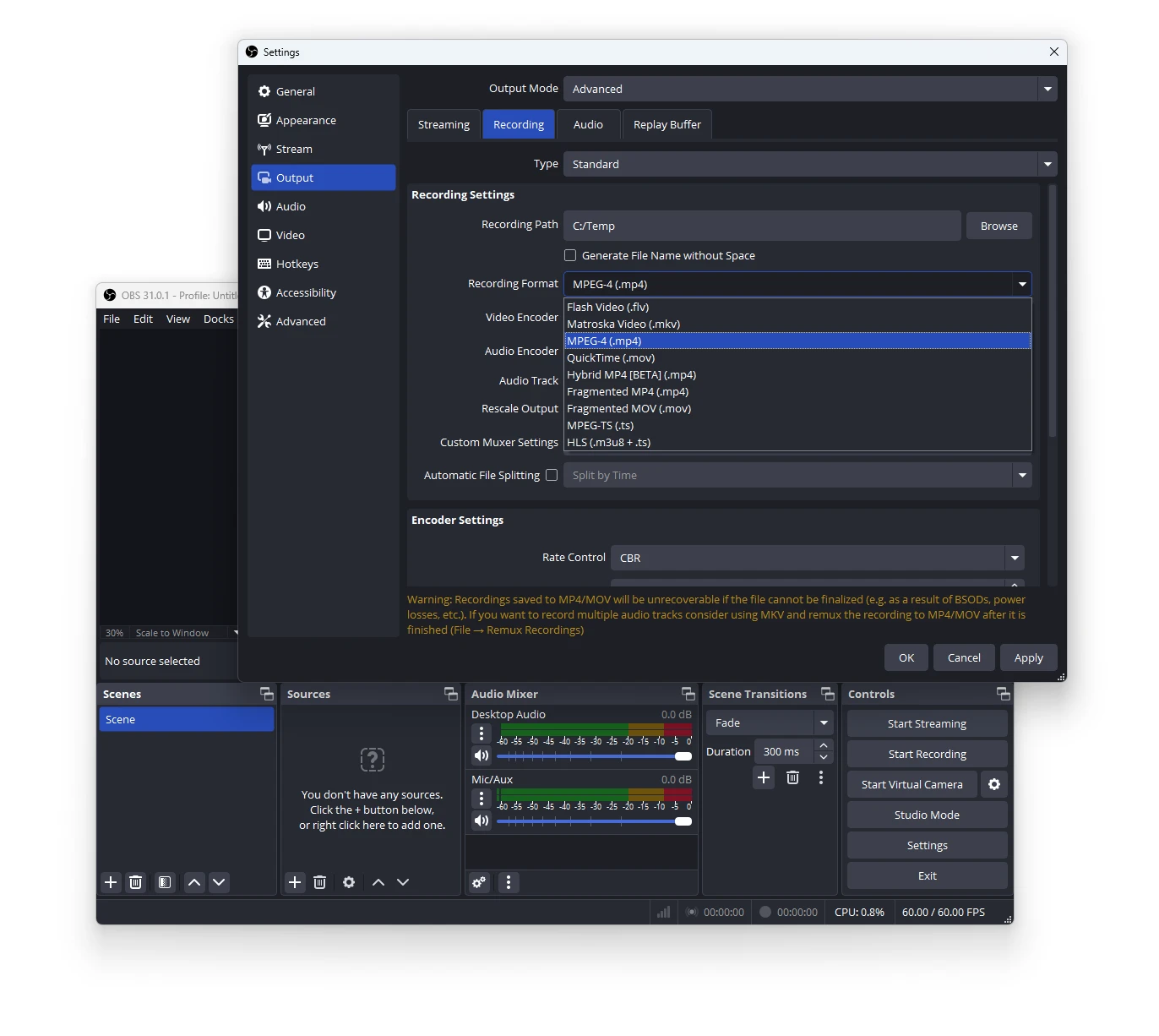
This method ensures you capture the WOTREPLAY as a video file that can be easily shared and viewed outside the World of Tanks environment.
WOTREPLAY vs MKV: format comparison
How the WOTREPLAY and MKV formats compare on the properties that matter most for this conversion.
| Property | .WOTREPLAY World of Tanks Replay | .MKV Matroska Video |
|---|---|---|
| Open standard | No | Yes |
| Compression | — | Both |
| Typical file size | Medium | Large |
| Opens in a web browser | No | No |
| Further editing | Not directly editable | Limited |
| Metadata support | Basic | Extensive |
| Plain-text readable | No | No |
| Best used for | Sharing and distribution | Streaming |
| Introduced | — | 2002 |
| Developer | Wargaming.net | Matroska org |
| MIME type | — | video/x-matroska |