
Convert WOTBREPLAY to MOV
How to convert WOTBREPLAY files to MOV format using OBS Studio.
Make MOV files online
We can't read WOTBREPLAY files yet, so this conversion isn't available. If you can export your work to one of these formats - or others - we'll turn it into MOV:
How to convert wotbreplay to mov file
- Computer games
- No ratings yet.
WOTBREPLAY and MOV file formats
WOTBREPLAY files are replay files created by the popular game World of Tanks Blitz. These files store information about gameplay and allow players to replay their matches. However, they are not video files and can only be opened with the World of Tanks Blitz application.
MOV files are multimedia container files used by Apple's QuickTime. They can contain multiple tracks that store different types of media data, such as video, audio, and text. MOV files are widely compatible with various multimedia applications and are commonly used for video editing and playback.
Converting WOTBREPLAY to MOV
Converting a WOTBREPLAY file directly to a MOV file is not straightforward because WOTBREPLAY files are not standard video files but game replay files. To convert a WOTBREPLAY file to MOV, record the replay using screen recording software while playing it in World of Tanks Blitz.
Recommended screen recording software:
OBS Studio (Open Broadcaster Software) is highly recommended for recording high-quality video footage from games.
Steps to record and convert wotbreplay to mov video
- Open World of Tanks Blitz and load the WOTBREPLAY file you want to convert.
- To set up OBS Studio to capture the game window, go to File → Settings → Sources → Add → Game Capture.
- Start recording the replay in World of Tanks Blitz while OBS Studio captures the footage.
- Once the replay finishes, stop the recording in OBS Studio.
- Export the recorded footage as a MOV file. Go to File → Export → MOV.
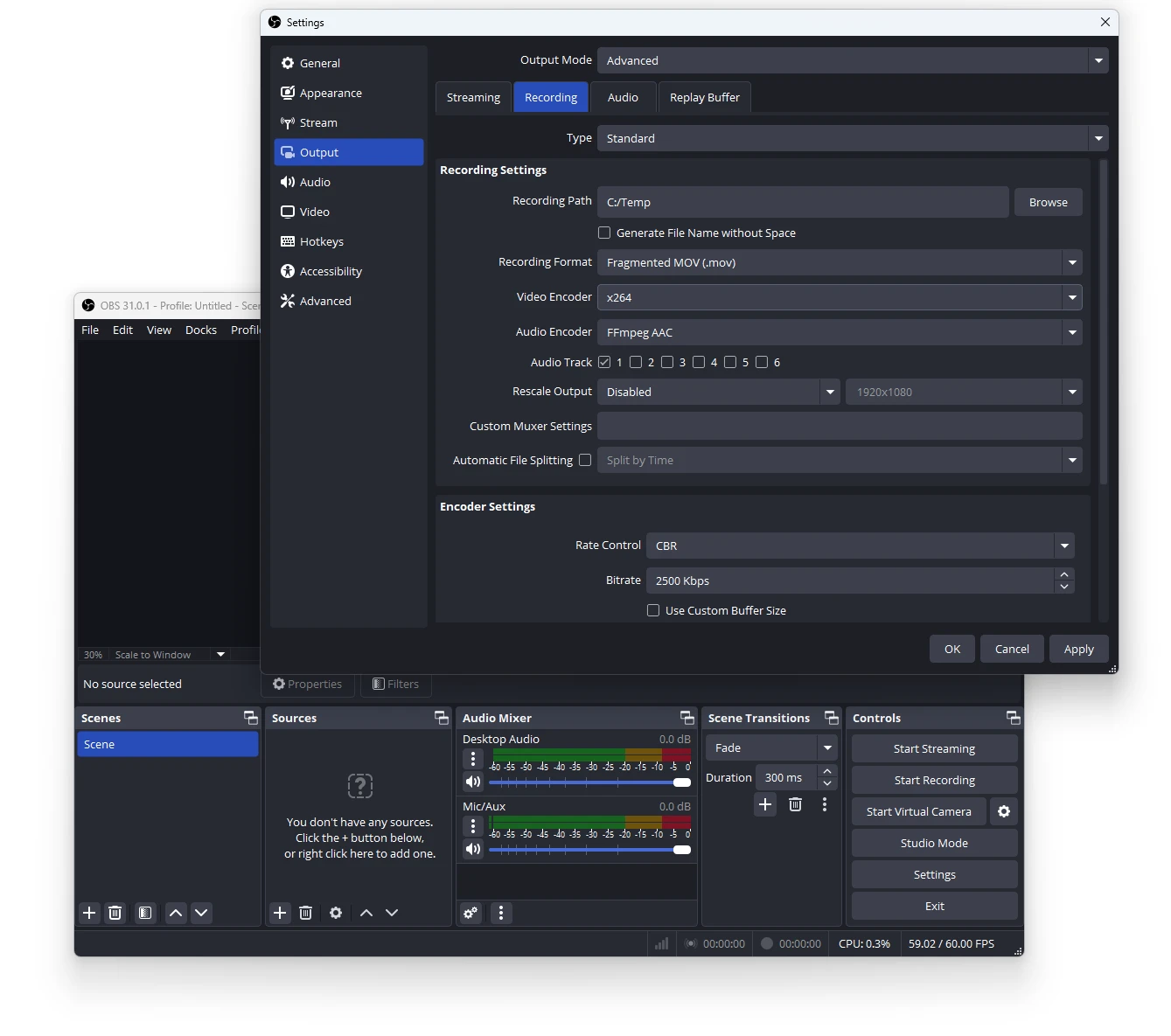
This method ensures that you get a MOV file that can be used for various purposes, including video editing and sharing or direct conversion to another video format.