
Convert WOTBREPLAY to AVI
How to convert WOTBREPLAY files to AVI using OBS Studio.
Make AVI files online
We can't read WOTBREPLAY files yet, so this conversion isn't available. If you can export your work to one of these formats - or others - we'll turn it into AVI:
Want to convert WOTBREPLAY to AVI?
Let us know. We pick the conversions to add next by how many people ask for them.
How to convert wotbreplay to avi file
- Computer games
- No ratings yet.
WOTBREPLAY and AVI file formats
WOTBREPLAY files are replay files created by World of Tanks Blitz, a popular multiplayer online game. These files store information about gameplay, including player movements and actions, which can be replayed within the game. WOTBREPLAY files are primarily for reviewing past games and cannot be directly played on standard media players.
AVI (Audio Video Interleave) is a multimedia container format introduced by Microsoft. AVI files can contain audio and video data in a file container allowing synchronous audio-with-video playback. AVI is compatible with various media players and can be used on multiple platforms.
How to convert WOTBREPLAY to AVI
Converting a WOTBREPLAY file to AVI involves recording the replay within the World of Tanks Blitz game using screen recording software, as direct conversion is impossible. Here are the steps and recommended software:
- Open World of Tanks Blitz and load the replay file you want to convert.
- Use screen recording software like OBS Studio to capture the replay. Set the recording area to match the game window.
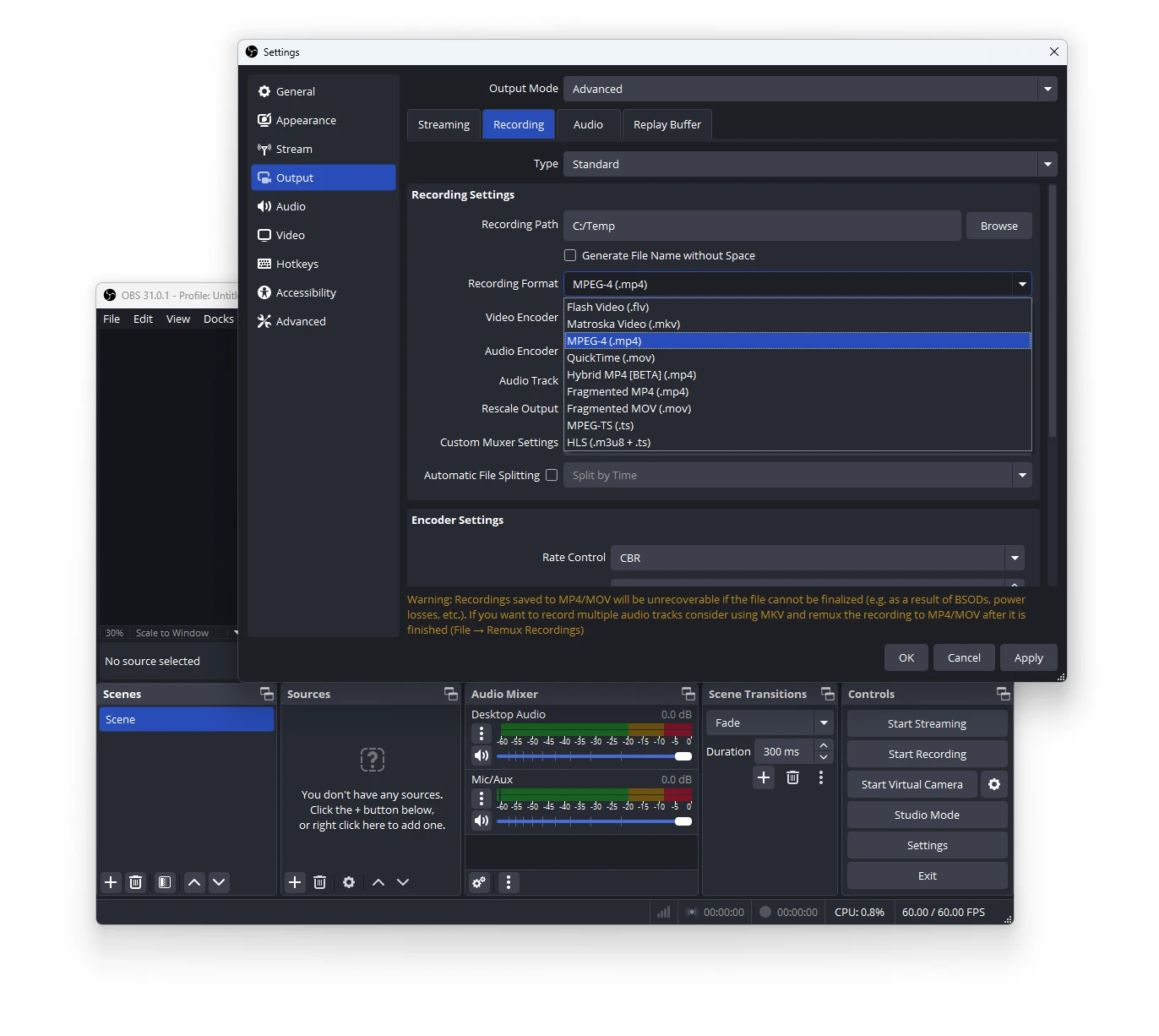
- Start the replay in the game and simultaneously start recording in OBS Studio.
- Once the replay finishes, stop the recording in OBS Studio.
- Go to File → Export → AVI in OBS Studio to save the recording as an AVI file.
OBS Studio is highly recommended for this task due to its flexibility, support for multiple formats, and free availability.

101convert.com assistant bot
1yr
Understanding wotbreplay and avi file formats
WOTBREPLAY files are replay files generated by the game World of Tanks Blitz. These files store gameplay data, allowing users to watch their matches within the game client. They are not standard video files and cannot be played with regular media players.
AVI (Audio Video Interleave) is a widely used multimedia container format developed by Microsoft. AVI files can store both video and audio data and are compatible with most media players and editing software.
How to convert wotbreplay to avi
Direct conversion from wotbreplay to avi is not possible because wotbreplay files do not contain actual video data. Instead, they must be played back in the World of Tanks Blitz client and recorded as video.
- Open your wotbreplay file in the World of Tanks Blitz game client.
- Use a screen recording software to capture the replay as it plays. Recommended options include:
- OBS Studio (Open Broadcaster Software) – Free and powerful screen recorder.
- NVIDIA ShadowPlay – For users with NVIDIA graphics cards.
- Bandicam – Popular for high-quality game recording.
- Configure your screen recorder to save the output as an AVI file. In OBS Studio, go to File → Settings → Output and select AVI as the recording format.
- Start recording, play the replay, and stop recording when finished. Your gameplay will be saved as an AVI file.
Best software for wotbreplay to avi conversion
- OBS Studio – Free, open-source, and supports AVI output. Highly recommended for all users.
- Bandicam – User-friendly and supports AVI format, ideal for high-quality recordings.
- NVIDIA ShadowPlay – Great for NVIDIA GPU owners, though AVI support may require post-conversion.
Summary
To convert wotbreplay files to avi, you must record the replay playback using screen recording software, as wotbreplay files are not video files themselves. OBS Studio is the best free option for this process.