Free online NKI to KMP converter
Convert Kontakt NKI instruments into Korg Triton KMP maps with companion KSF samples.
Convert NKI to KMP online - free
Your file is processed automatically and deleted right after you download the result, or after 3 hours at the latest.
Import a file from a URL
Paste a direct link to the file. We download it to our server and it is converted exactly like an upload.
How it works
-
1/3
Upload your .nki file
Click to browse to select your file you want to convert or simply drag & drop your file into selected area.
-
2/3
Perform .nki to .kmp conversion
After successful file upload, click to convert when you are ready.
-
3/3
Download converted .kmp file
Conversion result is ready to download.
How to convert nki to kmp file
- Audio
- No ratings yet.
A Korg Triton-compatible sampler cannot load a Kontakt instrument directly, so an NKI instrument may need conversion before it can be used there. The conversion produces a KMP multisample map and usually companion KSF sample files.
What the NKI format is
NKI is a Native Instruments Kontakt instrument file. It stores instrument settings and sample-zone assignments; the audio may be embedded or referenced from separate library files. NKI files are used with Kontakt and compatible software, not as standalone audio recordings.
What the KMP format is
KMP is a Korg Triton multisample file: it maps samples to keyboard ranges and, where applicable, velocity zones. The sample audio is generally stored separately in KSF files, so keep the KMP and all generated KSF files together. KMP is useful when building a multisample set for a compatible Korg sampler, but it does not by itself contain the complete instrument audio.
How to convert an NKI instrument
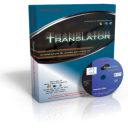
- Open Chicken Systems Translator 7 and locate or import the NKI instrument. Make sure the program can access any external samples referenced by the instrument; keep the original library’s folder structure intact.
- Choose Korg Triton as the destination and select KMP output. Set any available sample or zone options to values supported by the target sampler, then run the conversion.
- Save the output and retain the resulting
.KMPfile with every associated.KSFfile. Transfer or load the set using the target Korg model’s supported media workflow.
Translator 7 is the appropriate desktop option among the listed programs because it supports translating instrument and sampler formats. There is no dependable general-purpose online converter to recommend for this conversion: it must interpret instrument zones and create companion sample files, and the source samples may be stored separately or protected.
Quality and compatibility
The conversion can carry over sample data and basic key or velocity mapping, but Kontakt scripts, effects, modulation, and other engine-specific behavior do not become equivalent Triton features. Sample rate, bit depth, or channel layout may need conversion to meet the target model’s limits, which can affect audio quality. Test the set on the intended sampler and check zone ranges, playback, and that every referenced KSF file is present. Protected libraries or inaccessible external samples may prevent complete extraction.
NKI vs KMP: format comparison
How the NKI and KMP formats compare on the properties that matter most for this conversion.
| Property | .NKI Kontakt Instrument | .KMP Mario Kart Wii Course/Track data file |
|---|---|---|
| Open standard | No | No |
| Compression | — | Uncompressed |
| Typical file size | Large | Very small |
| Opens in a web browser | No | No |
| Further editing | Limited | Limited |
| Metadata support | Basic | Basic |
| Plain-text readable | No | No |
| Best used for | Professional production | Embedding in applications |
| Introduced | 2000 | 2008 |
| Developer | Native Instruments | Nintendo |
Information about file extensions and file types is provided by File-Extensions.org
Suggested software and links: nki to kmp converters
Frequently asked questions
Is the NKI to KMP converter free?
Yes, converting NKI to KMP on 101convert.com is completely free. No registration, email address or installation is required. If you need a higher file size limit or want to convert more files at once, see our plans.
How large can my NKI file be?
You can upload NKI files up to 30 MB and convert up to 3 files at once in a single batch. With a paid plan the limit is up to 500 MB per file and 5 files at once, see our plans.
What happens to my uploaded files?
Files are processed automatically. Your upload is deleted from our servers right after you download the result, or after 3 hours at the latest. We never view or share your files.
Do I need to install any software to convert NKI to KMP?
No. The NKI to KMP conversion runs entirely online in your browser and works on Windows, Mac, Linux, Android and iPhone.
Did the conversion fail?
In most cases, the cause is an incorrect file format. Please upload a valid NKI file for this NKI to KMP conversion. Occasionally, the issue may be on our side. We analyze recurring conversion failures and disable or fix the converter if we detect a defect.